clear

#---------------------------------------------------
$server="mysqlserver"
$endpoint_port="5022"
$instance="myNamedSQLinstance"
$emailFrom = "provisioning@mydomain.com"
$emailTo = "mathieu.chateau@lotp.fr"
$smtpServer = "mysmtpserver"
$sendmail=$true
$foldersource='\myfileserverbackupFromDev$'
$folderarchived='\myfileserverbackupFromDev$done'
$excludeList=@()
$excludeList+='master'
$excludeList+='tempdb'
$excludeList+='model'
#---------------------------------------------------
$foldersource="c:"
$folderarchived="F:"

$majorError=$true
$global:log=@()
try
{
    [System.Reflection.Assembly]::LoadWithPartialName("Microsoft.SqlServer.SMO")  | out-null
    [System.Reflection.Assembly]::LoadWithPartialName("Microsoft.SqlServer.SmoExtended") | Out-Null
    [System.Reflection.Assembly]::LoadWithPartialName("Microsoft.SqlServer.ConnectionInfo") | Out-Null
    [System.Reflection.Assembly]::LoadWithPartialName("Microsoft.SqlServer.SmoEnum")
    $source = new-object ('Microsoft.SqlServer.Management.Smo.Server') "$server$instance"
    $majorError=$false
}
catch
{
       AddLog "major error, one side not reachable $_"
       "major error, one side not reachable $_"
       $majorError=$true
}

function AddLog($text)
{
       $global:log+=$text
       Write-Host $text
}

if ($majorError -eq $false)
{
       $databases = $source.Databases
       foreach ($file in (Get-childitem $foldersource -Filter "*.bak"))
       {
               $dbname=$file.Name -replace (".bak","")
               if ($excludeList -notcontains $dbname)
            {
                #not on the blacklist
                if (($databases | ?{$_.Name -ieq $dbname}) -eq $null)
                {
                    #database does not exist
                    try
                    {
                        #Restore
                        $targetDBFilePath = $source.MasterDBPath + "" + $dbName + ".mdf"
                        $targetLogFilePath = $source.MasterDBLogPath + "" + $dbName + ".ldf"
                        AddLog "   going to restore $dbname to:"
                        AddLog "   $targetDBFilePath and $targetLogFilePath"
                        $restore = new-object ('Microsoft.SqlServer.Management.Smo.Restore')
                        $restore.Action = 'Database'
                        $restore.Database = $dbname
                        ##$backupDataFile=$dbbk.Devices[0].Name
                        #$restore.Devices.AddDevice($backupDataFile, [Microsoft.SqlServer.Management.Smo.DeviceType]::File)
                        $backupfile=New-Object ("Microsoft.SqlServer.Management.Smo.BackupDeviceItem")($file.FullName, "File")
                        $restore.Devices.Add($backupfile)
                        #$restoredetails=$restore.ReadBackupHeader($source)
                        $relocateDataFile = new-object ('Microsoft.SqlServer.Management.Smo.RelocateFile')
                        $relocateLogFile  = new-object ('Microsoft.SqlServer.Management.Smo.RelocateFile')
                        $dbFileList = $restore.ReadFileList($source)
                        $relocateDataFile.LogicalFileName = $dbFileList.Select("Type = 'D'")[0].LogicalName
                        $relocateDataFile.PhysicalFileName = $targetDBFilePath
                        $relocateLogFile.LogicalFileName = $dbFileList.Select("Type = 'L'")[0].LogicalName
                        $relocateLogFile.PhysicalFileName = $targetLogFilePath
                        $restore.RelocateFiles.Add($relocateDataFile)
                        $restore.RelocateFiles.Add($relocateLogFile)
                        $restore.ReplaceDatabase = $False
                        $restore.NoRecovery = $False
                        $restore.SqlRestore($source)
                        AddLog "     Restore done"
                        Move-Item $file.FullName $folderarchived
                    }
                    catch
                    {
                        AddLog "    error during restore: $_"
                        $majorError=$true
                        break
                    }

                }
                else
                {
                    #blacklisted name
                    AddLog "database $dbname / $($files.Names) already exist"
                }
            }
            else
            {
                AddLog "Forbidden databasename: $dbname"
            }

       }
}

if($sendmail)
{
       $temp=""
       foreach ($line in $log)
       {
              $temp+=$line+"`r`n"
       }
       $smtp = new-object Net.Mail.SmtpClient($smtpServer)
       $smtp.Send($emailFrom, $emailTo,"SQL mirror automator",$temp)
}


$log
Month: April 2012
RDP farm with broker: how to reach a specific server ?
Hypothesis
- You have setup an RDP farm with let’s say 2 RPD Servers,
- You have the Broker working, so people get redirected to their current opened session (affinity),
- You restricted to one session per user.
Problem
When you try to reach a specific RDP (to do admin staff or help a user logged on it), you get rejected:
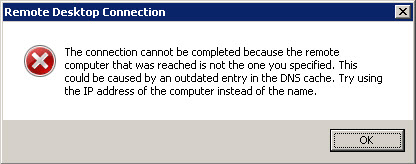
The connection cannot be completed because the remote computer that was reached is not the one you specified.
This could be caused by an outdated entry in the DNS cache. Try using the IP address of the computer instead of the name.
Even trying by IP as suggested is not working:
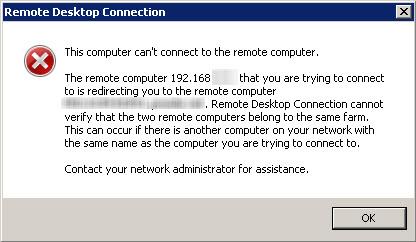
The remote computer hat you are trying to connect is redirecting you to the remote computer.
Remote Desktop Connection cannot verify that the two remote computers belong to the same farm.
This can occur if there is another computer on your network with the same name as the computer your are trying to connect to.
Solution
You just have to the famous /admin option of mstsc to bypass farm/broker rules !
SharePoint 2010: CAPI2 failed extract root list the data is invalid
One of the SharePoint 2010 started to throw the following error in loop (every 20 seconds):
Failed extract of third-party root list from auto update cab at....With error: the data is invalid
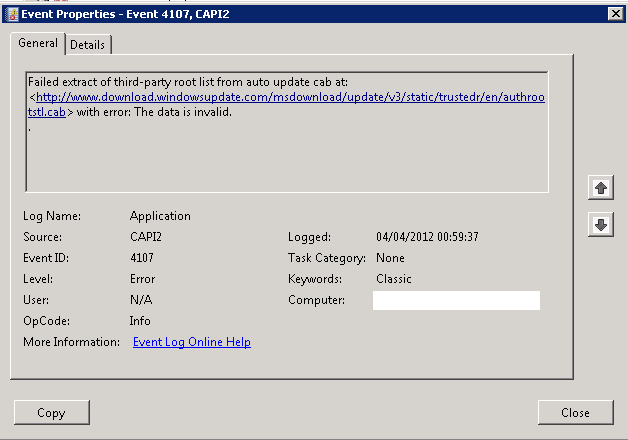
The most notable impact is a huge slow on every single page, while SQL and cpu was much low.
This is known that assembly .Net are signed, and that Windows try to check signature validity. This can generate slowness when doing the first call to application pool. I had already posted this problem on my blog for SharePoint 2007.
But that’s far after first call, and server can download from internet directly.
A wireshark trace later, we can see repeated try to download certificates:
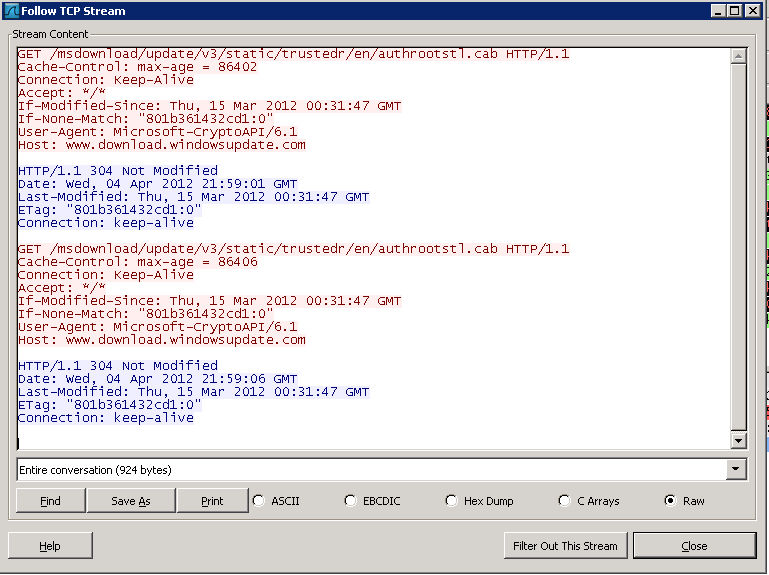
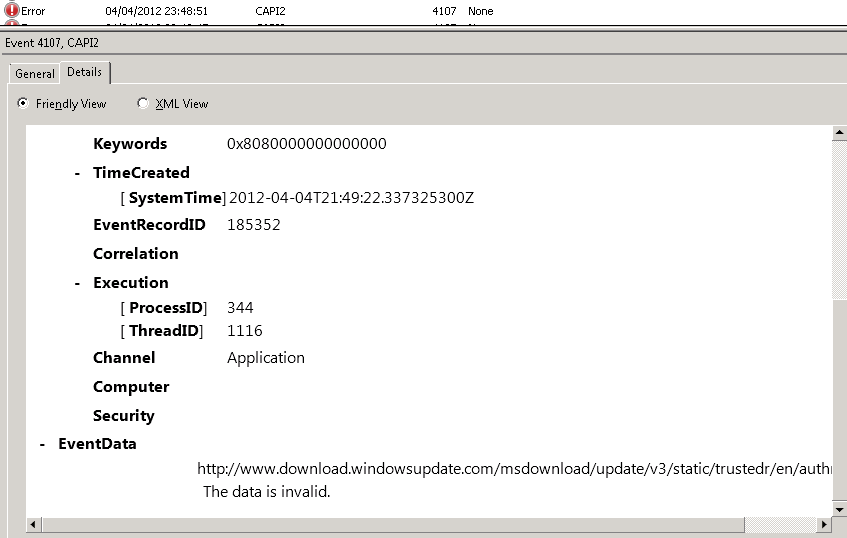
To get the guilty, just need to go back to the eventlog and get the process PID from the detailled view (PID 344):
Then fire Process Monitor from Sysinternals, filtering on PID 344:
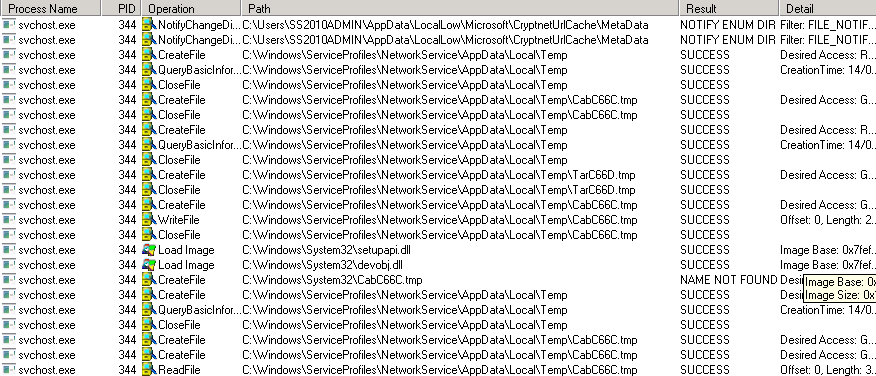
We see repeated try to use a Cab.tmp, trying to go in cryptneturlCache.
I saw this article from another MVP, and applied the KB even if it was not exactly the same error message.
- Error in the eventlog stop immediately,
- Slowness stay.
It keeps trying to download file still taking a 304.
I did a variant from the article, I removed folder CryptNetUrlCache but inside SharePoint account.
Case solved ^^
SharePoint 2010: Unable to index into an object of type Microsoft.SharePoint.SPListItem
While trying to add an item to a SharePoint List, i had the following error message:
Unable to index into an object of type Microsoft.SharePoint.SPListItem.
 + $newItem[ <<<< "column_name"] = $SPFieldUserValue
 + CategoryInfo : InvalidOperation: (column_name:String) [], RuntimeException
 + FullyQualifiedErrorId : CannotIndex
Column name are case sensitive, and i had forgotten a caps !